How to Attach the Garmin Varia RearVue 820 to the Mount and Set Its Orientation
HardReset.Info ·
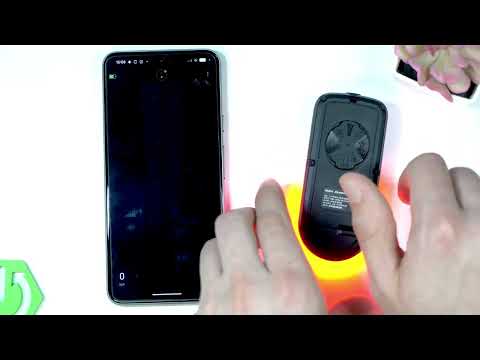
This video shows you how to attach the GARMIN Varia RearVue 820 to a mount and set its orientation so it works correctly. You'll align the back tabs with the mount notches while holding it horizontally, then rotate it so the button faces up by default. The radar must face straight backwards and sit as high as possible, keeping the distance from the bottom of the unit to the road between 250 and 1,200 millimeters. If you can't meet these rules, open the Varia app on your smartphone, connect to the device, go to Device Settings → Device Orientation, and choose Up or Down manual instead of automatic. How to attach GARMIN Varia RearVue 820 to mount? Where is device orientation in GARMIN app? Can you change GARMIN Varia RearVue 820 orientation manually? 0:00 Intro - attaching GARMIN Varia RearVue 820 to mount 0:37 Mounting rules - orientation, height, and distance limits 1:22 Override settings via smartphone app 1:30 Open Varia app and navigate to Device Settings 1:48 Selecting device orientation - Up, Down, or Automatic 2:14 Outro - like, subscribe, and comment
More Varia RearVue 820 videos
 【Varia RearVue 820】進化したレーダーテールライトGarmin Japan · Mon, 28 Sep 2026
 Coospo TR70 vs Garmin Varia RearVue 820 - Is the Cheaper Radar Light Worth It?Bike Zone · Mon, 21 Sep 2026
 All Five Light Modes on the Garmin Varia RearVue 820HardReset.Info · Wed, 16 Sep 2026
 GARMIN Varia RearVue 820 – UnboxingHardReset.Info · Wed, 16 Sep 2026
 GARMIN Varia RearVue 820 – How to Pair with Varia AppHardReset.Info · Wed, 16 Sep 2026
 Demo Mode on the Garmin Varia RearVue 820: See the Radar Work Without Any TrafficHardReset.Info · Wed, 16 Sep 2026
 GARMIN Varia RearVue 820 – How to Create Custom Light PatternHardReset.Info · Sat, 12 Sep 2026
 Garmin Varia RearVue 820 + Edge 540 — Pairing the Radar and Setting Up AlertsHardReset.Info · Sat, 12 Sep 2026