Garmin Varia RearVue 820 + Edge 540 — Pairing the Radar and Setting Up Alerts
HardReset.Info ·
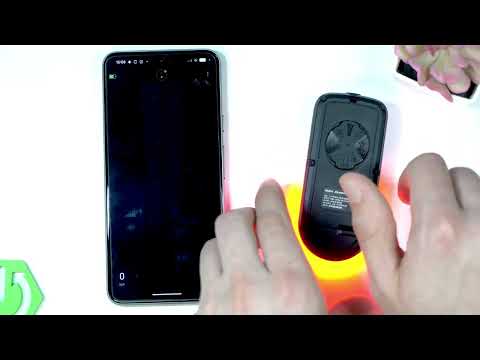
Pairing your Garmin radar with your GARMIN Edge 540 connects the device for live traffic and vehicle detection. In this video I show you how to get that connection up and running so you can see what’s behind you while you ride. First, unmount the radar and press its power button for two seconds to enable pairing mode, indicated by a blinking LED light. On the GARMIN Edge 540, open the Control Center, press the Options key, scroll down to Sensors, select Add Sensor, and choose the detected radar from the list. Once connected, go to the sensor's menu, scroll to Alert Settings, and configure the color overlay, vehicle column size, tone type, and green thread level. How to pair Garmin with GARMIN Edge 540? How to connect Varia Rearview 820 to GARMIN Edge 540? Where is the Sensors menu on GARMIN Edge 540? 0:00 Intro - pairing Garmin with Edge 540 0:06 Varia Rearview 820 model overview 0:44 Enable pairing mode on radar 1:01 Open sensors menu on GARMIN 1:39 Select and connect the radar 2:07 Configure alert settings for radar 2:56 Outro - like and subscribe
More Varia RearVue 820 videos
 【Varia RearVue 820】進化したレーダーテールライトGarmin Japan · Mon, 28 Sep 2026
 Coospo TR70 vs Garmin Varia RearVue 820 - Is the Cheaper Radar Light Worth It?Bike Zone · Mon, 21 Sep 2026
 All Five Light Modes on the Garmin Varia RearVue 820HardReset.Info · Wed, 16 Sep 2026
 GARMIN Varia RearVue 820 – UnboxingHardReset.Info · Wed, 16 Sep 2026
 GARMIN Varia RearVue 820 – How to Pair with Varia AppHardReset.Info · Wed, 16 Sep 2026
 Demo Mode on the Garmin Varia RearVue 820: See the Radar Work Without Any TrafficHardReset.Info · Wed, 16 Sep 2026
 GARMIN Varia RearVue 820 – How to Create Custom Light PatternHardReset.Info · Sat, 12 Sep 2026
 How to Pair the Garmin Varia RearVue 820 with the Varia App on Your PhoneHardReset.Info · Sat, 12 Sep 2026