GARMIN Quatix 7 – How to Unpair from Android Phone
HardReset.Info ·
In this short video we show how to unpair the GARMIN Quatix 7 from an Android phone using the Garmin Connect app and the phone Bluetooth settings. You will learn how to remove the Quatix 7 from Garmin Connect, open Android Bluetooth settings, and use Forget to fully disconnect the watch from your account and phone. This is useful when switching phones, selling or giving away the watch, or troubleshooting persistent connection issues. The steps are quick and work on most Android devices with Garmin Connect installed. How to unpair GARMIN Quatix 7 from Android phone? How to remove GARMIN Quatix 7 from Garmin Connect? How to forget GARMIN Quatix 7 in Android Bluetooth settings? 0:00 Intro and why to unpair your Quatix 7 0:30 Open Garmin Connect app 0:41 Tap More → Garmin Devices 0:48 Select Quatix 7 and open more options 1:02 Remove Device then go to Android Bluetooth settings 1:18 Tap Forget on Quatix 7 and confirm disconnection
More quatix 7 videos
 Garmin Quatix 7 – All Tutorials, Setup, Tips & TricksHardReset.Info · Tue, 22 Sep 2026
 GARMIN Quatix 7 – How to Track CaloriesHardReset.Info · Fri, 10 Jul 2026
 GARMIN Quatix 7 – How to Change Watch FaceHardReset.Info · Mon, 29 Jun 2026
 Garmin Tactix 7 AMOLED vs Quatix 7 - AMOLED vs MIP Display TestHardReset.Info · Wed, 17 Jun 2026
 GARMIN Quatix 7 – Enable Phone Notifications on AndroidHardReset.Info · Wed, 10 Jun 2026
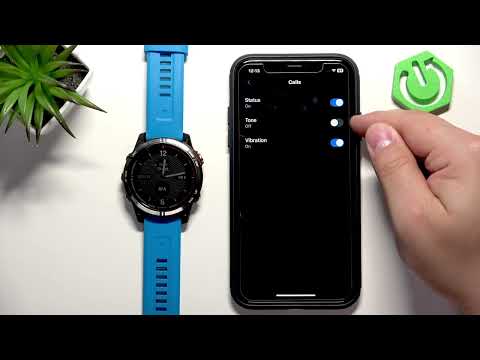 GARMIN Quatix 7 – How to Enable Phone Notifications on iPhoneHardReset.Info · Wed, 10 Jun 2026
 GARMIN Quatix 7 – How to Force RestartHardReset.Info · Wed, 10 Jun 2026
 GARMIN Quatix 7 – How to turn offHardReset.Info · Wed, 10 Jun 2026