AMAZFIT Active 2 Square – How to Customize Widget Menu
HardReset.Info ·
Want to customize the widget menu on your AMAZFIT Active 2 Square so it displays exactly the health and activity data you need most? In this video I show how to add new widgets like blood oxygen or stress events, remove ones you no longer use by swiping up and tapping the bin icon, and reorder them by pressing and holding to drag them into place. You can press the upper button on the watch to apply changes directly, or manage everything through the paired phone app under Device Settings → Widgets and tap Save. How to customize widget menu on AMAZFIT Active 2 Square? How to add or remove widgets on AMAZFIT Active 2 Square? Can you reorder widgets on AMAZFIT Active 2 Square? 0:00 Intro - AMAZFIT Active 2 Square widget customization 0:49 Add widgets from the watch menu 1:17 Reorder widgets by pressing and holding 1:47 Switch to the companion app on the phone 2:08 Navigate to Device Settings in the app 2:21 Add and reorder widgets in the app 2:44 Save changes in the companion app 3:01 Outro - like and subscribe
More Active 2 Square videos
 AMAZFIT Active 2 Square – How to Change Watch FacesHardReset.Info · Sun, 08 Nov 2026
 AMAZFIT Active 2 Square – How to Change Screen TimeoutHardReset.Info · Thu, 29 Oct 2026
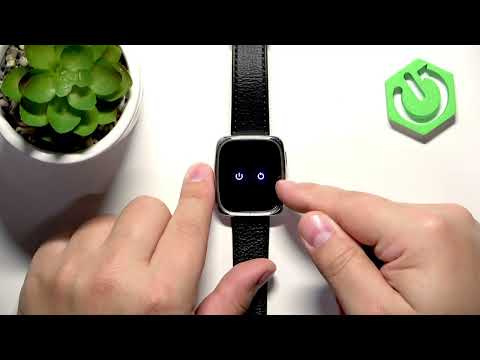 AMAZFIT Active 2 Square – How to Soft ResetHardReset.Info · Thu, 29 Oct 2026
 AMAZFIT Active 2 Square – How to Set Up Alarm ClockHardReset.Info · Thu, 29 Oct 2026
 AMAZFIT Active 2 Square – How to Change Screen BrightnessHardReset.Info · Thu, 29 Oct 2026
 Amazfit Active 2 Square vs Bip6 - comparison with square phonesTecnoRadar · Thu, 14 May 2026
 How to Use: Amazfit Active 2 Square | Setup Guide & Hidden FeaturesFlicky Facts · Wed, 21 Jan 2026
 Why is EVERYONE BUYING this SQUARE SMARTWATCH!? // Amazfit Active 2 SquareEscolhaSegura · Thu, 01 Jan 2026