Garmin Vivoactive 4 Detailed User Interface Walk-Through
DC Rainmaker
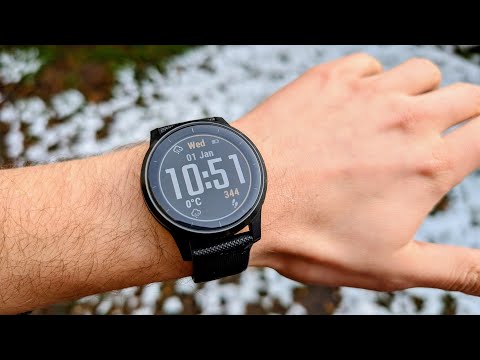
Here's your complete Garmin Vivoactive 4 (and by extension Vivoactive 4S) menu and user interface walk-through. I go start to finish from watch faces to widgets, sport modes like yoga, running, and more. I dive into Spotify and music, connectivity to the Beats headphones, and boatloads more along the way. How things like the touch screen and buttons work, plus some tips and tricks along the way. Note that the Vivoactive 4 and Vivoactive 4S are *IDENTICAL* from a menu standpoint, as well as all software features. The only difference is that one is bigger than the other. That's it! The Site ► Main Camera ► Action Cam ► All Camera Gear ► Most Music ►
More vivoactive 4 / 4S videos
 How to Use Garmin Vivoactive 4s (Updated)Rim Brake Rodeo · Tue, 27 Oct 2026
 Before You Buy — Garmin Vivoactive 4 – Honest Review 2026Verified Reviews · Mon, 23 Feb 2026
 How to Turn on Bluetooth on Garmin VivoActive 4 - Easy Fix If Can't Connect with PhoneUV Tech Tips · Tue, 04 Nov 2025
 How to Pair: Garmin Vivoactive 4 With Garmin Connect AppFlicky Facts · Fri, 17 Oct 2025
 Garmin Vivoactive 4 vs Garmin Vivoactive 6 ComparisonThe Tech Lab · Sat, 27 Sep 2025
 Garmin Forerunner 165 vs Garmin Vivoactive 4 ComparisonThe Tech Lab · Sun, 21 Sep 2025
 Garmin VivoActive 4 in 2025 Review - Still Worth It?Ultra Value Tech · Sat, 20 Sep 2025
 Garmin Vivoactive 4 | Complete Features and User GuideFlicky Facts · Sat, 20 Sep 2025