How to Pair: Garmin Vivoactive 4 With Garmin Connect App
Flicky Facts ·
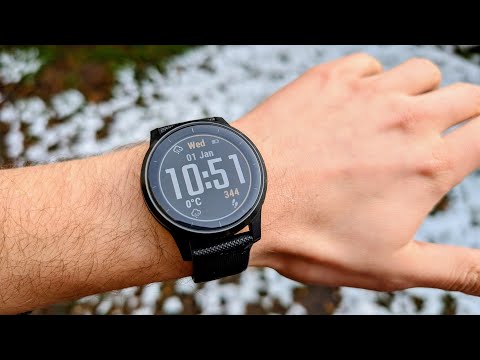
Looking to pair your Garmin Vivoactive 4 smartwatch with your smartphone? In this step-by-step guide, we’ll walk you through the complete pairing process in a simple and professional way. Whether you’re setting up your Vivoactive 4 for the first time or reconnecting it, this tutorial ensures you can sync your watch quickly and enjoy all its smart features. The Garmin Vivoactive 4 is a premium GPS smartwatch designed for fitness, health, and lifestyle. It offers: ✔️ Built-in GPS & music storage ✔️ Advanced health monitoring (Pulse Ox, Body Battery™, Stress tracking) ✔️ 20+ preloaded sports apps ✔️ Animated on-screen workouts ✔️ Heart rate monitoring & sleep tracking ✔️ Long-lasting battery life up to 8 days in smartwatch mode By pairing your Garmin Vivoactive 4 with your smartphone (Android or iOS), you’ll unlock features like activity syncing, smart alerts, music controls, Garmin Pay™, and more. This guide is beginner-friendly and ensures your Garmin Vivoactive 4 is ready to track your workouts, monitor health, and keep you connected on the go. 👇 Got questions about the Fitbit Sense? Drop them in the comments! How to Pair: Garmin Vivoactive 4 With Smartphone Garmin Connect App
More vivoactive 4 / 4S videos
 How to Use Garmin Vivoactive 4s (Updated)Rim Brake Rodeo · Tue, 27 Oct 2026
 Before You Buy — Garmin Vivoactive 4 – Honest Review 2026Verified Reviews · Mon, 23 Feb 2026
 How to Turn on Bluetooth on Garmin VivoActive 4 - Easy Fix If Can't Connect with PhoneUV Tech Tips · Tue, 04 Nov 2025
 Garmin Vivoactive 4 vs Garmin Vivoactive 6 ComparisonThe Tech Lab · Sat, 27 Sep 2025
 Garmin Forerunner 165 vs Garmin Vivoactive 4 ComparisonThe Tech Lab · Sun, 21 Sep 2025
 Garmin VivoActive 4 in 2025 Review - Still Worth It?Ultra Value Tech · Sat, 20 Sep 2025
 Garmin Vivoactive 4 | Complete Features and User GuideFlicky Facts · Sat, 20 Sep 2025
 How to Force Restart the GARMIN Vivoactive 4s SmartwatchHardReset.Info · Mon, 04 Nov 2024