WAHOO Elemnt Roam 3 – How to Lock Touch Screen
HardReset_Pro ·
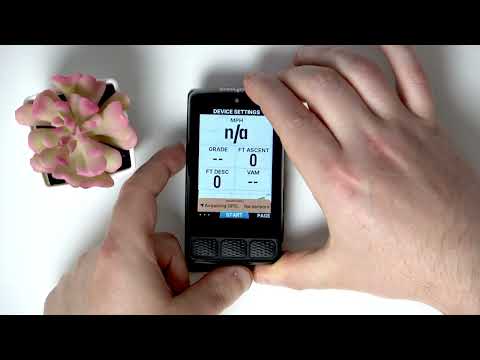
If you want to prevent accidental touches while riding, locking the touch screen on your WAHOO Elemnt Roam 3 cycling computer is a useful feature. In this video, we show you step-by-step how to lock the screen on the WAHOO Elemnt Roam 3, making your rides smoother and more secure. You’ll learn how to access the settings, navigate to the correct screen, and activate the lock function. This guide is perfect for anyone looking to avoid unwanted screen changes during cycling and keep their WAHOO Elemnt Roam 3 working just the way they want. How to lock the touch screen on WAHOO Elemnt Roam 3? How to prevent accidental touches on WAHOO Elemnt Roam 3? Where is the screen lock setting on WAHOO Elemnt Roam 3? 0:00 Introduction 0:07 Open settings on WAHOO Elemnt Roam 3 0:15 Swipe to the leftmost screen 0:22 Tap to lock the screen 0:31 Confirmation and tips Use Reset Guides for many popular Apps ►
More ELEMNT ROAM 3 videos
 Which Bike Computer Is Best? Garmin Edge 850 & Wahoo Elemnt Roam 3 TESTED!BikeRadar · Sat, 23 May 2026
 Wahoo ELEMNT ROAM 3 - the iPhone of GPS devicesMozosBike · Tue, 18 Nov 2025
 WAHOO Elemnt Roam 3 – How to Adjust Screen BacklightHardReset_Pro · Mon, 03 Nov 2025
 WAHOO Elemnt Roam 3 – How to Check Free Memory SpaceHardReset_Pro · Fri, 24 Oct 2025
 WAHOO Elemnt Roam 3 – How to Turn On Custom Alert SoundsHardReset_Pro · Mon, 13 Oct 2025
 Wahoo ELEMNT ROAM 3 vs. BOLT 3 vs. ACE | Which bike computer is right for you?BIKE24 · Fri, 26 Sep 2025
 WAHOO Elemnt Roam 3 – How to Select Dark Mode or Light ModeHardReset_Pro · Tue, 23 Sep 2025
 Wahoo ELEMNT ROAM 3 / BOLT 3 / RADAR First Look! What’s New?DesFit · Sat, 20 Sep 2025