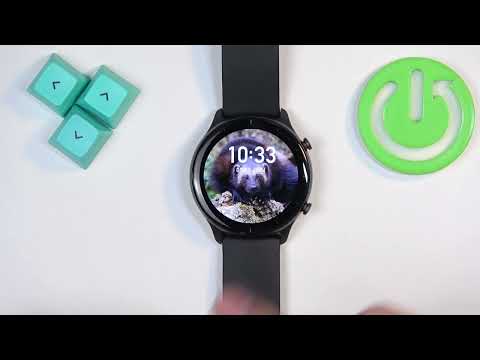
How to Set Image As Watch Face on AMAZFIT GTR 2E
HardReset.Info ·
Setting an image as the watch face on your AMAZFIT GTR 2E allows you to personalize your smartwatch by using a photo or image of your choice. This amazing feature lets you customize the look of your watch to match your style, giving it a unique and personal touch. Whether it’s a favorite picture or a special moment, displaying it on your watch face enhances the user experience by making it truly your own. How to Use a Custom Image as Watch Face on AMAZFIT GTR 2E? How to Add a Photo to Your Watch Face on AMAZFIT GTR 2E? How to Personalize Watch Face with Image on AMAZFIT GTR 2E?
More GTR 2e videos
 Amazfit GTR 2E: How to Adjust Screen Brightness | Customize Display Brightness on Amazfit GTR 2EHardReset.Info · Fri, 08 Nov 2024
 Amazfit GTR 2E: How to Turn Off | Power Down Your Amazfit GTR 2EHardReset.Info · Tue, 05 Nov 2024
 Amazfit GTR 2E: How to Change Straps | Swap Out Straps on Your Amazfit GTR 2EHardReset.Info · Tue, 05 Nov 2024
 How to Enable Android Phone Notifications on AMAZFIT GTR 2EHardReset.Info · Tue, 05 Nov 2024
 How to Pair AMAZFIT GTR 2E with iPhoneHardReset.Info · Sat, 05 Oct 2024
 How to Change Language on AMAZFIT GTR 2EHardReset.Info · Wed, 02 Oct 2024
 Amazfit GTR 2E: How to Change Screen Timeout Duration | Adjust Display Settings on Amazfit GTR 2EHardReset.Info · Wed, 02 Oct 2024
 How to Download Additional Watch Faces on AMAZFIT GTR 2EHardReset.Info · Wed, 02 Oct 2024