How to Set Up Sleep Tracking on Garmin Vivoactive 5
Setup & Solve ·
Learn how to set up sleep tracking on your Garmin Vivoactive 5 with this detailed step-by-step guide. In this video, I walk you through the essential settings to ensure your device accurately tracks your sleep. Start by ensuring your sleep schedule is set correctly on the device, then verify that the heart rate sensors are active and that the battery saver mode is disabled. I also touch on how to manage paused activities and synchronize your device with the Garmin Connect app for optimal functionality. Whether you sleep from 3 AM to 4 AM or at the more common time of 11 PM, these settings will work for you! Setting Up Sleep Monitoring on your Garmin Vivoactive 5 Configuring Garmin Vivoactive 5 for Sleep Tracking How to Activate Sleep Tracking on the Garmin Vivoactive 5
More vivoactive 5 videos
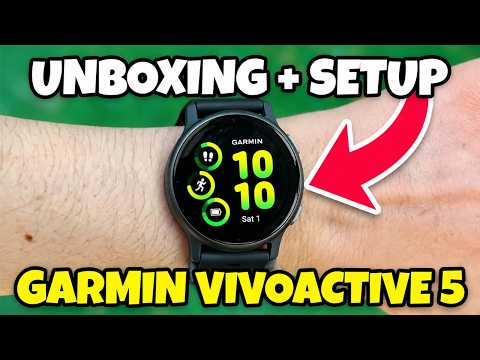 How to Set-Up Garmin Vivoactive 5 - Unboxing, Pair and App SetupTutorialy · Mon, 26 Oct 2026
 Garmin Vivoactive 5 watchStasha Garrison · Tue, 20 Oct 2026
 Garmin Vívoactive 5 Review: Health & Fitness Smartwatch | It IS SO Good that I Bought Two!Real Life Reviews by Aiva · Mon, 14 Sep 2026
 Garmin Vivoactive 5 vs Forerunner 55 Which Should You BuyReal Life Reviews by Aiva · Mon, 14 Sep 2026
 Garmin Forerunner 55 vs Garmin Vívoactive 5: Which Garmin Smartwatch Is Better For Fitness Tracking?Truthify · Tue, 14 Jul 2026
 Garmin vívoactive 5 Review — Worth It in 2026 or Not?Tech Insider · Thu, 23 Apr 2026
 Garmin Vivoactive 5 Battery Dies in One Day After Update (Here's Why)Tech Talk With Jeremy · Tue, 24 Mar 2026
 Garmin Vivoactive 5 in 2026 – Still Worth Buying or Already Outdated?SparkTech · Fri, 23 Jan 2026