Learning Curve: My Garmin VivoActive 3 Battery Swap Adventure
PulsarTECH ·
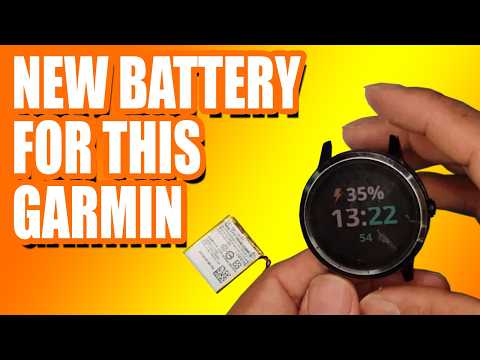
After some time, every device's battery wears out and loses its capacity. Smartwatches are no different. So, it comes time to replace the battery and prolong the life of your smartwatch. In this video, I will share my story of replacing the battery in my Garmin VivoActive 3 smartwatch. Not only did I replace it with the same battery, but I also upgraded it to a higher capacity one. The process wasn't always smooth, but in the end, the effort was worth it. Whether you're planning to replace the battery in your Garmin VivoActive 3 smartwatch, considering an upgrade with a higher capacity battery, or simply interested in witnessing a smartwatch being brought back to life, welcome aboard! I will guide you through all the steps and provide tips on how to disassemble the watch, replace the battery, and put it back together. Stay tuned! 0:00 - Intro 1:20 - Preparation & Tools Required 4:05 - Disassembly Process 8:32 - Installing 80mAh Battery 11:32 - Installing 300mAh Battery 17:55 - Final Assembly HOW TO CHANGE WATCH FACE ON GARMIN VIVOACTIVE 3 How to Connect Garmin VivoActive 3 to Your Phone CANON BR-E1 WIRELESS REMOTE CONTROL
More vivoactive 3 videos
 A TRUE WARRIOR! Garmin Vivoactive 3 Battery Replacement | Sydney CBD Repair CentreSydney CBD Repair Centre · Tue, 19 May 2026
 REVIEW (2026): GARMIN Vivoactive 3 Smartwatch. ESSENTIAL details.CurrentProductReviews · Sat, 20 Sep 2025
 new #review #garmin HOW TO USE GARMIN VIVOACTIVE 3 GPS WATCHZACARIAS PRADA · Sat, 09 Nov 2024
 Garmin vivoactive 3 Screen ReplacementRicks Tech Repairs · Sat, 04 Nov 2023
 Garmin Vivoactive 3: Mi opinión después de probarloGimnasio en Casa · Thu, 06 Oct 2022
 Garmin Vivoactive 3 GPS Review | Garmin Vivoactive 3 Tutorial | Top Tracking DevicesTop Tracking Devices · Wed, 27 Oct 2021
 2025 Garmin vivoactive 3 Review – GPS Smart Sport WatchBeauty & Personal Care by Alice · Sun, 24 Oct 2021
 Apple Watch Series 6 vs. Garmin Vivoactive 3 (Comparison + Review)Slickdeals · Sun, 17 Oct 2021