How to Use: Garmin Bounce Kids Smartwatch | Setup Guide & Hidden Features
Flicky Facts ·
How to Use : Garmin Bounce Kids Smartwatch | Setup Guide & Hidden Features In this video, I will show you how to set up and use the Garmin Bounce Kids Smartwatch and explain all its buttons, touchscreen controls, health & activity tracking features, and hidden functions in a simple and easy-to-understand way. Whether you’ve just bought a new Garmin Bounce Kids smartwatch or want to unlock all its smart and safety features for children, this guide will help you get the most out of the device. Product Type: Kids Smartwatch / Activity Tracker Model: Garmin Bounce Display: Color Touchscreen Health & Activity Tracking: Steps, Sleep, Activity Monitoring Safety Features: GPS Tracking, SOS Alert, Geofencing Battery Life: Long-lasting Smart Features: Alarms, Stopwatch, Timer, Watch Faces, GPS Tracking Connectivity: Bluetooth, Garmin Jr. App ✔️ Initial setup & pairing with Garmin Jr. app ✔️ Button functions & touchscreen navigation ✔️ Activity & health tracking explained ✔️ Hidden features, tips & battery optimization 📩 For questions or support, feel free to leave a comment or connect with our community. How to Use: Garmin Bounce Kids Smartwatch | Setup Guide & Hidden Features Garmin Bounce Kids User Guide Garmin Bounce Kids Setup Garmin Bounce Kids Settings Garmin Bounce Kids Features Bounce Kids Buttons & Functions Bounce Kids Hidden Features Smartwatch Tutorial Wearable Device Setup Guide Kids Activity Tracker Guide Garmin Bounce Kids Tips & Tricks Garmin
More Bounce videos
 Garmin Bounce 2 Kids Smartwatch – Worth It?BudgetBuys · Sun, 27 Sep 2026
 Three reasons we chose this watch for our 10-year-old Garmin Bounce™ 2, Kids Smartwatch with CallingAdventure Mamas Amazon Picks · Mon, 20 Jul 2026
 Garmin Bounce 2 VS Fitbit Ace LTE | Full Comparison GuideGadgeto Lab · Mon, 20 Jul 2026
 Garmin Bounce Kids Watch: Unboxing & Complete Initial Setup Guide!Bipinz Life Style · Wed, 10 Jun 2026
 Garmin Bounce 2 Kids Smartwatch: More Than A TrackerHow To Do It Tech · Thu, 21 May 2026
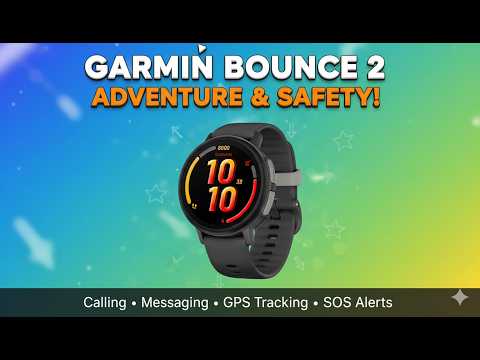 Garmin Bounce 2 Review – Best Kids Smartwatch Worth It?Value Vault · Sat, 09 May 2026
 Fitbit Ace LTE vs Garmin Bounce 2 ComparisonThe Tech Lab · Sun, 29 Mar 2026
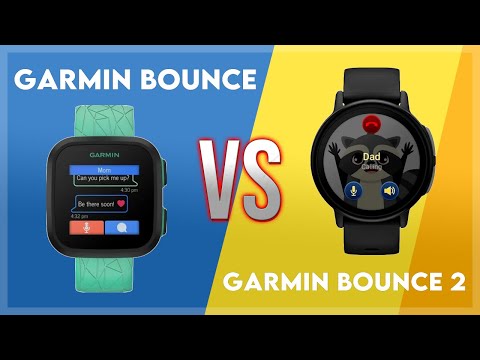 Garmin Bounce vs Garmin Bounce 2 ComparisonThe Tech Lab · Tue, 24 Feb 2026