Amazfit Bip Max – All Tutorials, Setup, Tips & Tricks
HardReset.Info ·
How to pair Amazfit Bip Max with Android phone or iPhone using the Zepp app? How to use Amazfit Bip Max features like offline maps, music control, Zepp Flow AI, watch faces, screenshots, app store, and custom shortcuts? 0:00 Amazfit Bip Max Unboxing and First Impressions 0:42 Watch Design and Box Contents 1:28 Strap Size and Band Compatibility 2:27 Display, AMOLED Screen and Brightness 3:53 Battery Life and Charging Overview 4:29 GPS, Offline Maps and Fitness Tracking 6:08 Sensors, Sport Modes and Bluetooth 8:39 Build Quality and Water Resistance 10:00 Charging Puck and Type-C Charging 11:27 Price, Battery Life and Final Thoughts 13:16 Pair Amazfit Bip Max with Android Phone 13:54 Download and Install Zepp App 15:24 Log In to Zepp Account 16:40 Scan QR Code and Pair Watch 17:12 Enable Notifications, Calls and Permissions 18:08 Choose Button Position and Activity Goals 19:30 Pair Amazfit Bip Max with iPhone 20:06 Install Zepp App on iPhone 21:44 Scan QR Code and Connect Watch 22:36 Set Permissions, Goals and Watch Position 23:56 Amazfit Bip Max Tips and Tricks 24:11 Customize Button Shortcuts 26:37 Control Music from the Watch 29:38 Upload Music to Amazfit Bip Max 32:03 Use Offline Voice Controls 35:33 Set Up Zepp Flow AI Assistant 37:59 Find Phone or Find Watch 39:25 Enable Glove Mode 40:51 Best Settings to Change First 41:09 Adjust Screen Brightness 42:08 Change Screen On Duration 44:16 Customize Shortcut Buttons 45:39 Adjust Sound Volume 46:43 Set Do Not Disturb Schedule 48:13 Change Color Style and Theme Style 49:16 Turn Off Amazfit Bip Max 50:04 Turn On Amazfit Bip Max 51:03 Change Vibration Intensity 52:21 Restart Amazfit Bip Max 53:44 Force Restart Amazfit Bip Max 55:07 Adjust Screen Brightness 56:29 Unpair Amazfit Bip Max from Android Phone 58:11 Uninstall Apps from Amazfit Bip Max 59:58 Unpair Amazfit Bip Max from iPhone 1:01:46 Change Watch Language 1:03:37 Install Apps on Amazfit Bip Max 1:05:37 Take Screenshot on Amazfit Bip Max 1:07:38 Adjust Sound Volume 1:09:42 Download Additional Watch Faces 1:11:49 Enable Power Saving Mode 1:13:58 Change Watch Face 1:16:12 Factory Reset Amazfit Bip Max 1:18:26 Change Screen Timeout Duration 1:20:42 Set Custom Photo Watch Face 1:23:10 Change Watch Straps 1:25:59 Enable Do Not Disturb Mode 1:28:57 Enable Android Phone Notifications 1:33:25 Enable iPhone Notifications
More Bip Max videos
 Amazfit Bip Max Running Watch - Abot Kaya at Loaded sa Features!JCUTMoto RUNS · Fri, 06 Nov 2026
 Amazfit BIP Max Smartwatch Has a Pickleball Sports Mode?! 🏓 | Check out the MetricsSmartwatch Specifications · Tue, 06 Oct 2026
 Best Affordable Smartwatch for HYROX - Amazfit BIP MaxSmartwatch Specifications · Sun, 20 Sep 2026
 AMAZFIT BIP MAX: €99 AND IT HAS ALMOST EVERYTHING... WHAT'S THE CATCH?PreTriathlon · Thu, 10 Sep 2026
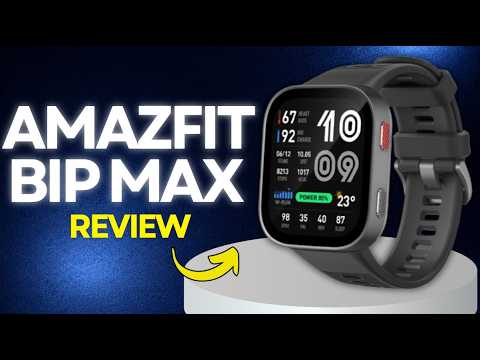 Amazfit Bip Max Review: Is This Smartwatch Worth Buying?Origyn · Mon, 07 Sep 2026
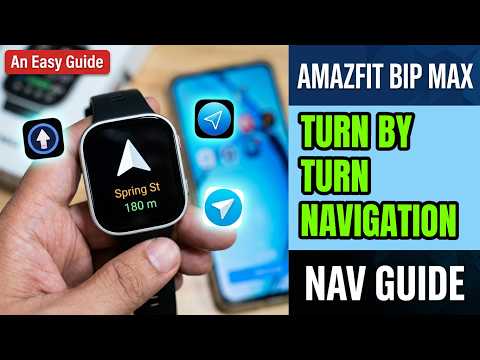 Amazfit BIP Max Smartwatch- Turn by Turn NavigationSmartwatch Specifications · Tue, 25 Aug 2026
 Amazfit Bip Max Review: Flagship Features for $99… But There’s a Catch!Tech, Gadgets and Other Great Ideas · Fri, 21 Aug 2026
 Amazfit Bip Max Review | $100 Feature MaxingAustin Reviews · Fri, 21 Aug 2026