GARMIN Forerunner 70 - How to Set a Custom Watch Face
HardReset.Info ·
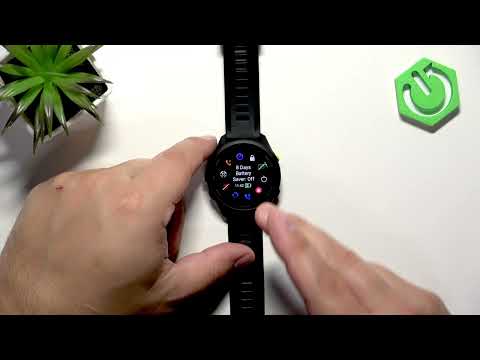
In this video we show how to set a custom watch face on the GARMIN Forerunner 70 using the Face It app from the Connect IQ Store. You will learn how to pair your watch with Android or iPhone, install Connect IQ / Face It, pick a photo or use the camera or preset backgrounds, customize clock layout and complications, save a template and install the watch face to your Forerunner 70. This is the simplest way to use your own image as a watch face and keep multiple templates saved for easy re-use. How to set a custom watch face on GARMIN Forerunner 70? How to use my own photo as a watch face on GARMIN Forerunner 70? How to install Face It watch face from Connect IQ on GARMIN Forerunner 70? 0:00 Intro 0:20 Pair your Forerunner 70 and install Connect IQ Store 1:14 Open Face It, permissions and update 2:18 Choose Photos, Camera or Preset backgrounds 3:05 Select image and pick clock layout 3:59 Add and place complications, change colors 4:45 Save template and install watch face
More Forerunner 70 / 170 videos
 ⌚ Garmin Forerunner 170 Review 🔥Siva Bharani Udaya Selvan · Fri, 23 Oct 2026
 I Tried the Garmin Forerunner 70… and It Changed How I Train!LUXMERIX · Tue, 20 Oct 2026
 Garmin Vivoactive 6 vs Garmin Forerunner 70 — Specs, Features & VerdictDevice Compare · Mon, 28 Sep 2026
 Garmin Forerunner 170 Features That Can Save Your LifefoXnoMad · Tue, 22 Sep 2026
 Garmin Forerunner 170 vs Apple Watch Series 11 – Which Fitness Smartwatch Is Better in 2026?OASTHAR · Sun, 06 Sep 2026
 How to Enable and Disable Power Saving Mode on GARMIN Forerunner 70HardReset.Info · Tue, 25 Aug 2026
 GARMIN Forerunner 70 - How to Sync with the Garmin Connect AppHardReset.Info · Tue, 25 Aug 2026
 GARMIN Forerunner 70 - How to Customize the Controls MenuHardReset.Info · Tue, 25 Aug 2026