WAHOO Elemnt Rival – How to Adjust Backlight Brightness
HardReset_Pro ·
If you want to make your WAHOO Elemnt Rival watch easier to see in different lighting conditions, adjusting the backlight brightness is a simple way to improve visibility. In this video, we show you step by step how to change the backlight intensity on your WAHOO Elemnt Rival. You will learn how to access the settings menu, find the backlight options, and select the brightness level that works best for you. Whether you prefer a brighter display for dark environments or want to save battery with a lower setting, this guide will help you customize your watch for your needs. How to change backlight brightness on WAHOO Elemnt Rival? How to adjust backlight intensity on WAHOO Elemnt Rival watch? Where is the backlight setting on WAHOO Elemnt Rival? 0:00 Introduction 0:12 Turning on the backlight 0:28 Accessing the settings menu 0:40 Navigating to System settings 0:52 Selecting Backlight Intensity 1:05 Choosing brightness level (Low, Medium, High) 1:20 Exiting to watch face Use Reset Guides for many popular Apps ►
More ELEMNT RIVAL videos
 Wahoo ELEMNT Rival: The Triathlon Watch That Actually Gets Out of Your WayElite Gadget Finds · Mon, 07 Sep 2026
 Wahoo ELEMNT Rival Band: The Ultimate Nylon Upgrade for Your Smartwatch!Innovator's Choice · Sun, 15 Mar 2026
 Wahoo ELEMNT Rival Band: Best Quick Release Sport StrapSmart Gear Vault · Sun, 15 Mar 2026
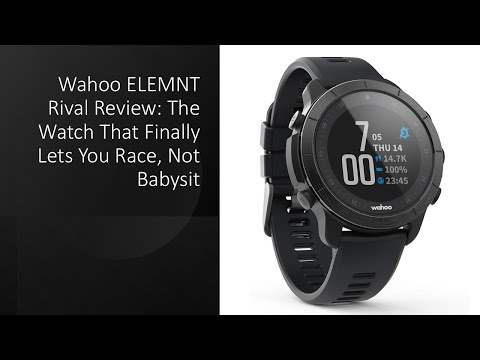 Wahoo ELEMNT Rival Review: The Watch That Finally Lets You Race, Not BabysitBest Buys Reviewed and Global Cart Verdict · Sun, 18 Jan 2026
 REVIEW (2026): ELEMNT Rival GPS Watch. FeaturesCurrent Product Overviews · Wed, 24 Dec 2025
 WAHOO Elemnt Rival – How to Change Date and TimeHardReset_Pro · Fri, 07 Nov 2025
 WAHOO Elemnt Rival – How to Unpair from Android PhoneHardReset_Pro · Sat, 11 Oct 2025
 Wahoo ELEMNT Rival: The Ultimate Multisport Smartwatch?NX Revs · Sat, 11 Oct 2025